
Cómo hacer
Change the language and regional format of the dashboard
You can use the Nevent dashboard in Spanish, English, Portuguese, French, Italian or German, and choose how dates, times and numbers are shown. Both settings are saved to your account: you will see them the same in any browser.
In this guide you change the dashboard language and its regional format. About 2 minutes.
Step 1: Open your user panel
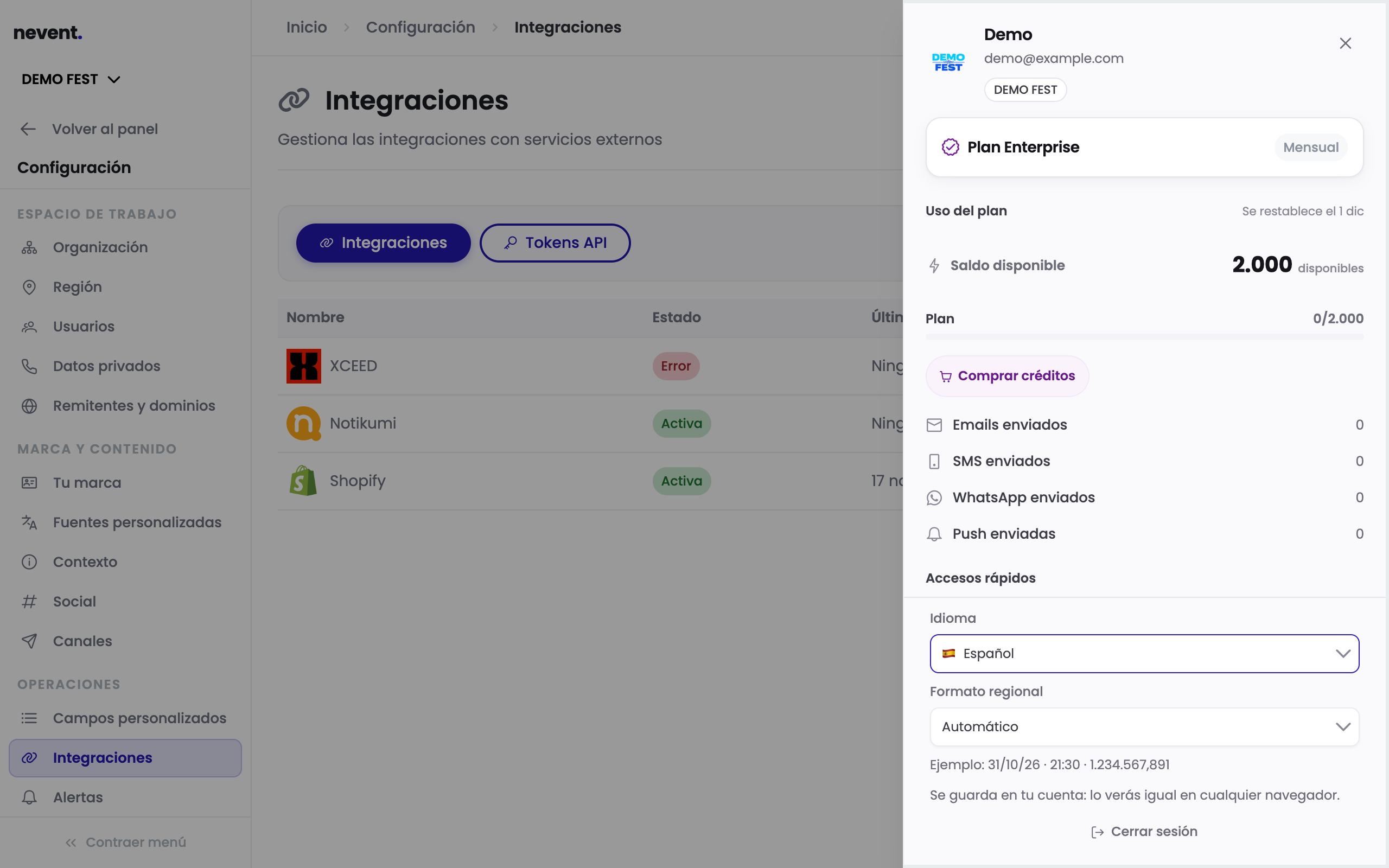
Section titled “Step 1: Open your user panel”Click your initial at the top right. Your user panel opens with your plan, plan usage and quick access.
At the bottom of the panel are the Language and Regional format drop-downs.
Step 2: Choose the language
Section titled “Step 2: Choose the language”Open the Language drop-down and choose one from the list: Español, English, Português, Français, Italiano or Deutsch.
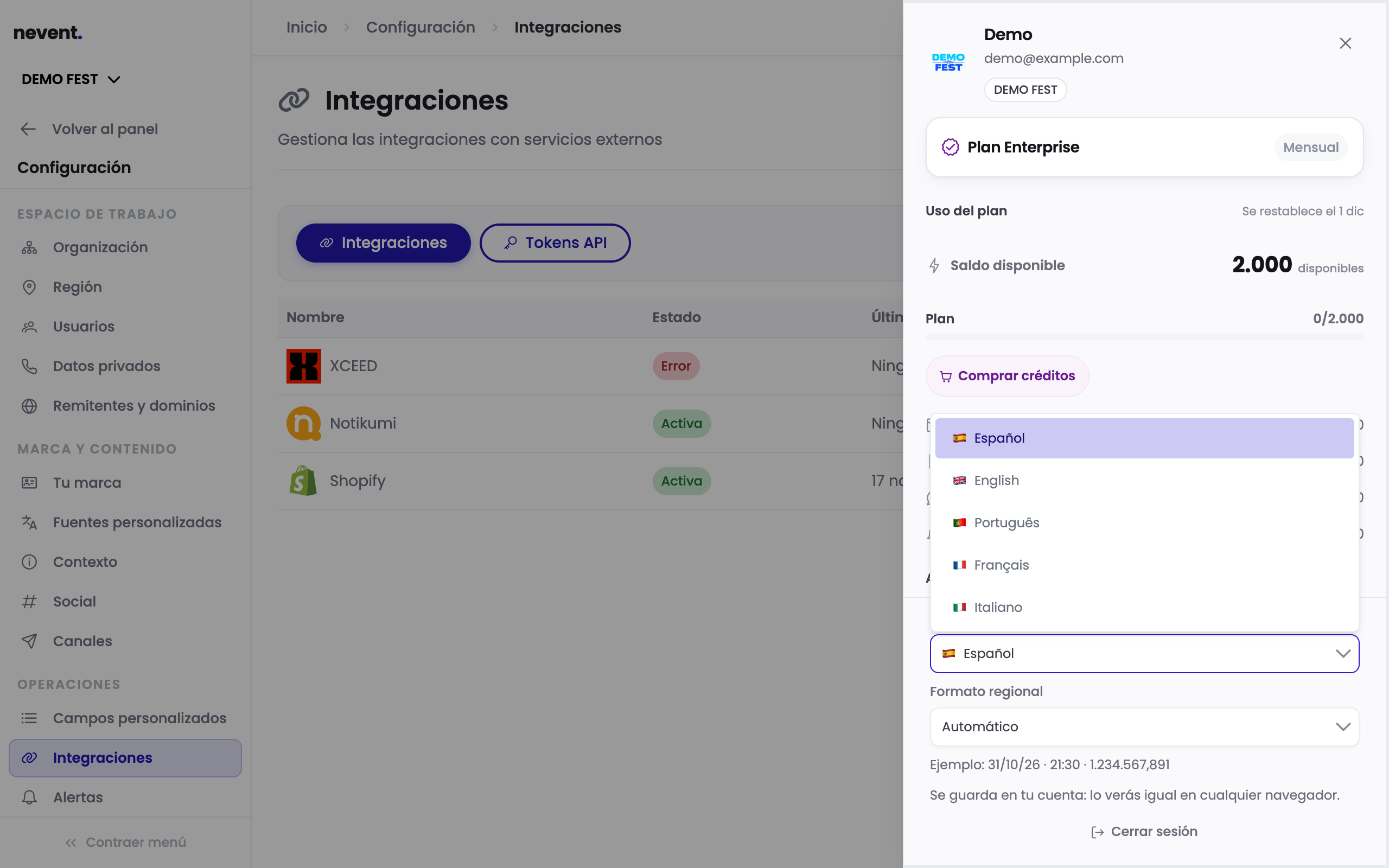
The dashboard switches language as soon as you choose one. You don’t need to save or reload the page.
Step 3: Choose the regional format
Section titled “Step 3: Choose the regional format”In Regional format you decide how dates, times and numbers are written. The options are:
- Automatic
- Spanish (Spain) and Spanish (Mexico)
- Portuguese (Portugal)
- English (United Kingdom) and English (United States)
- French (France)
- Italian (Italy)
- German (Germany)
Below the drop-down you’ll see an example in the chosen format, such as 31/10/2026 · 21:30 · 1,234,567.891, so you can check it before you carry on working.
Result
Section titled “Result”The dashboard is shown in the language and regional format you chose. Because it’s saved to your account, you’ll see it the same if you sign in from another computer or another browser.
Next step
Section titled “Next step”- Add users to your organization so your team signs in with their own account.
- View and create your organization structure to see the brands and organizations in your account.