
Cómo hacer
How to create a brand with its own sending domain
También llamado: sub-account, sub-brand, labels per brand, several brands
An agency that runs several venues, or several sub-brands of the same venue, often needs to separate their communications: different templates, a different sender and an audience that does not mix between brands.
The usual temptation is to solve it with labels, but a label separates nothing: it only classifies fans within the same database. What separates audience, templates and sender is creating a brand, the lowest level of your organization structure in Nevent.
In this guide you create a brand, invite users to it and set up its own sending domain.
Before you start
Section titled “Before you start”You need:
- The Owner, Administrator or Superadmin role in your organization. With other roles you cannot see or create the structure.
- To be in a level 1 (group) or level 2 (company) organization. A brand is the last level: it can only be created below a company. Review the three levels of an organization if you are not sure which level you are on.
- If you are going to set up your own domain, have access to that sub-brand’s DNS panel at hand (or to whoever manages its website).
When a brand suits you and when it does not
Section titled “When a brand suits you and when it does not”- Brand: use it when you need a separate audience, templates and email sender. It is the right answer when two sub-brands must not share fans or communications.
- Label: use it only to classify fans within the same brand (for example, “VIP” or “WhatsApp group”). It does not separate audience or sender.
If your question is “does this need its own fan base and its own sender?”, a yes points to a brand, not a label.
Step 1: Create the brand from your organization structure
Section titled “Step 1: Create the brand from your organization structure”- In the side menu, go to Settings and, in the Workspace block, click Organization.
- On the map of your structure, click the company (level 2) the new brand should hang from.
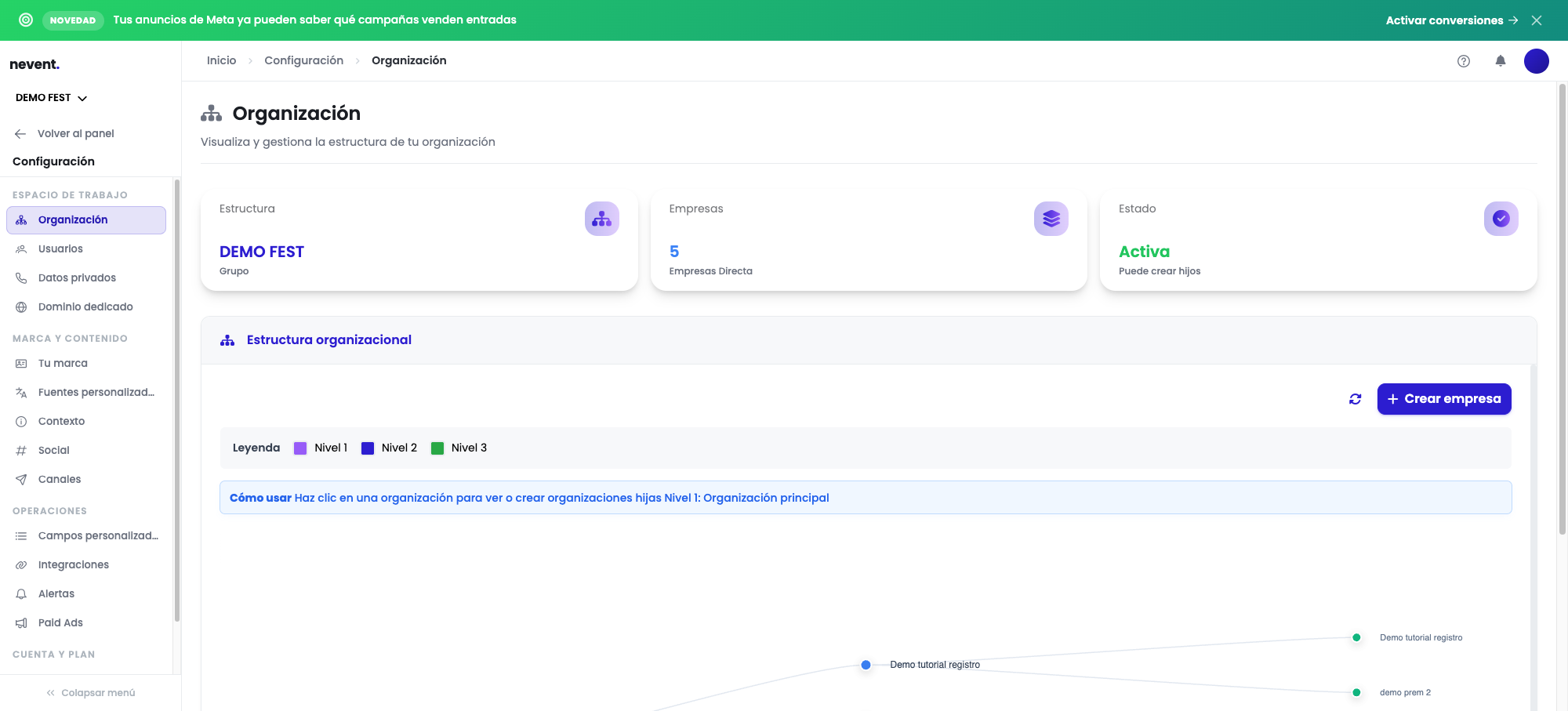
- Press the create button at the top right of the map: from a company it creates a brand. The notice in the window confirms which organization the new brand will hang from.
The creation window only asks for the brand’s name. The flow is the same as creating a company, described in view and create your organization structure.
Step 2: Invite users to the new brand
Section titled “Step 2: Invite users to the new brand”Each brand has its own list of users. If the team of that sub-brand should only see its own data, invite them directly inside the brand, not in the company or the group.
- Go into the brand you just created.
- Go to Settings → Users.
- Add each person with the right role: Administrator for those who work in the dashboard, Scanning staff for those who only scan at the door.
The full detail of this step is in add users to your organization.
Step 3: Set up the brand’s dedicated domain
Section titled “Step 3: Set up the brand’s dedicated domain”If this brand is going to send email campaigns with its own sender (for example, email.subbrand.com instead of Nevent’s shared domain), set up its own dedicated domain.
Go into the brand, go to Settings → Senders and domains and follow the step-by-step wizard in set up your custom sending domain.
Each brand needs its own domain setup: it is not inherited automatically from the company or the group.
Step 4: Check the sender in a test campaign
Section titled “Step 4: Check the sender in a test campaign”Before launching a real campaign from the new brand, confirm that the sender is the expected one:
- Inside the brand, create a test campaign with a single recipient (yourself).
- Send it and check the sender address in the email you receive.
- Confirm that the brand’s dedicated domain appears, not Nevent’s shared one.
If the sender still shows the shared domain, check that all DNS records show as verified on that brand’s domain screen.
What to check
Section titled “What to check”- The brand appears on the map of your structure, below the right company.
- The users you invited see only that brand’s data, not the rest of the organization’s.
- The sender of the test campaign shows the brand’s dedicated domain.