
Referencia
Import fields: system fields, custom fields and accepted values
También llamado: upload Excel, load a database, CSV, consent
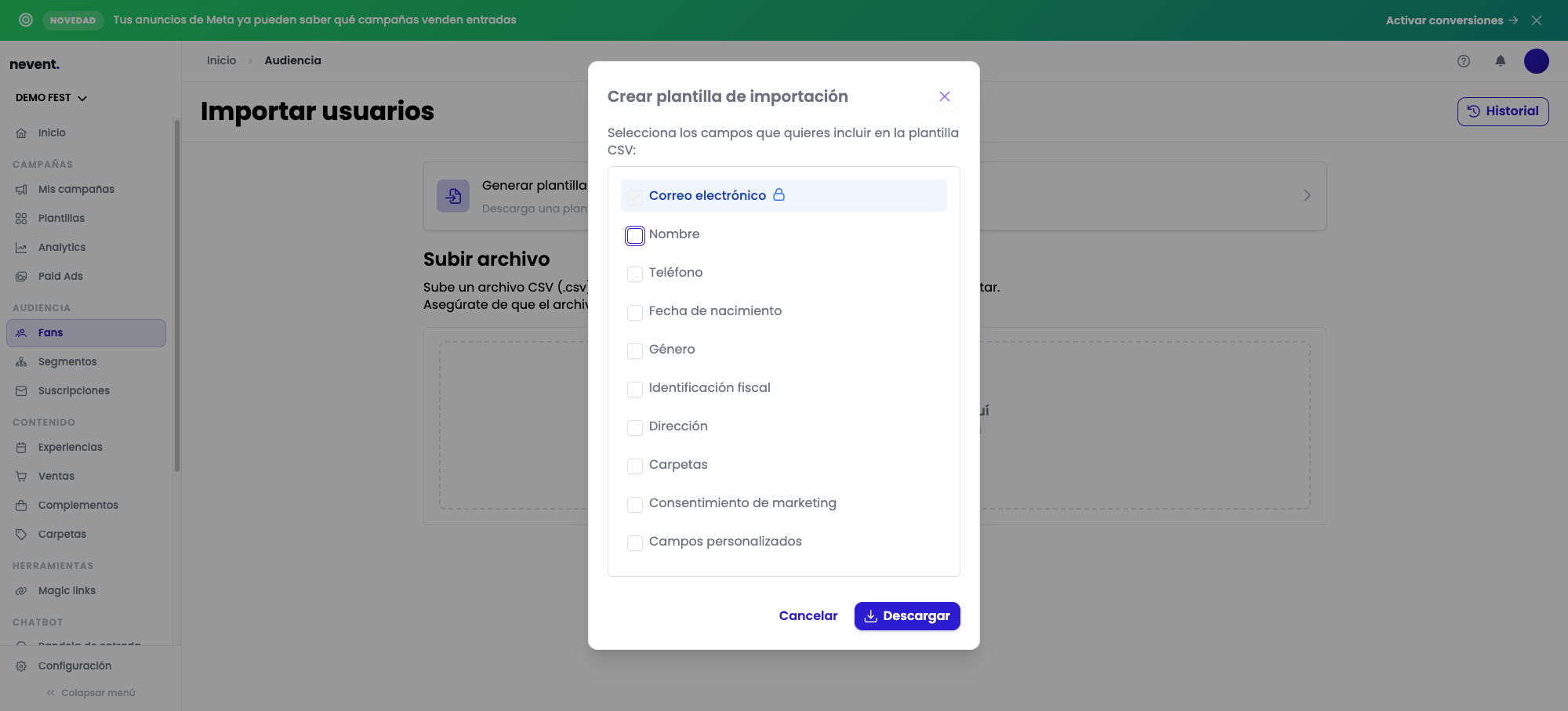
This page gathers the fields that contact import in Nevent accepts: the system fields the platform already has, the custom field limit for your plan and what happens with the columns you leave empty.
Use it as a reference before you prepare your file, so you do not have to fix it after uploading it.
System fields
Section titled “System fields”These are the fields Nevent recognizes natively when it generates the import template or when you map the columns of your file.
| Field | Required or optional | Format | Example |
|---|---|---|---|
| Required | A valid email address | ana@example.com | |
| Name | Optional | Free text | Ana García |
| Phone | Optional | Not confirmed (exact format pending verification) | Not confirmed |
| Date of birth | Optional | Not confirmed (exact date format pending verification) | Not confirmed |
| Gender | Optional | mujer or hombre in the sample template; female or male also work. Lowercase | female |
| Tax ID | Optional | Free text | 12345678A |
| Address | Optional | Free text | 1 Main Street, Madrid |
| Folders | Optional | Name of an existing label segment, or a new one | Import_May_2025 |
| Marketing consent | Optional | s (gives consent) or n (does not) in the sample template; y, yes, true / no, false also work | y |
Custom fields
Section titled “Custom fields”Besides the system fields, you can map columns of your file to custom fields you have created in your organization. How many custom fields your plan allows is confirmed by the Nevent team.
Accepted values for gender and marketing consent
Section titled “Accepted values for gender and marketing consent”When you generate the import template from Nevent, the sample row uses these values, in Spanish:
| Field | Sample values | Also accepted |
|---|---|---|
| Gender | mujer (female), hombre (male) | female, male |
| Marketing consent | s (gives consent), n (does not) | y, yes, true; no, false |
If you generate your own template from the import screen, you will see these same sample values in the first rows of the downloaded file.
File size and formats
Section titled “File size and formats”Nevent accepts two file formats to import contacts:
| Format | Extension |
|---|---|
| CSV | .csv |
| Excel | .xlsx |
The maximum file size is 50 MB.
Next step
Section titled “Next step”- Import your contacts, to follow the complete import step by step.
- The import fails or stays blank, if you have problems uploading or mapping your file.